Fiskaly Setup (Austria)
Use the Fiskaly Setup (Austria) page to configure the Fiskaly integration for Austrian RKSV fiscalization in LS Express.
Open Fiskaly Setup (Austria)
-
Go to Administration > Navigate > Fiskaly Setup (Austria).
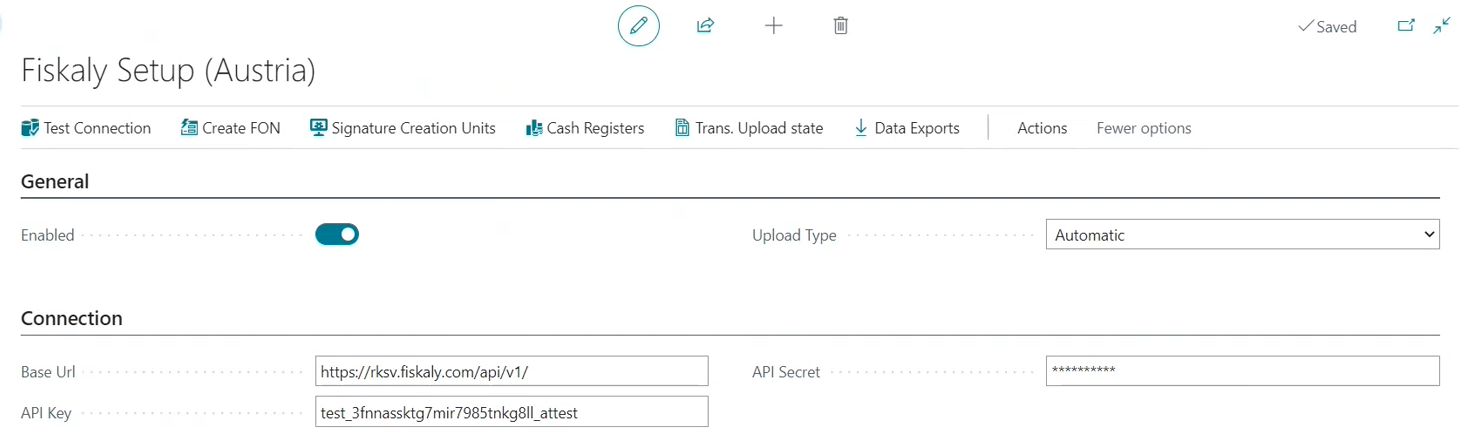
General FastTab
| Field | Description |
|---|---|
| Enabled | Enable this toggle to activate the Austrian fiscalization module. |
| Upload Type | Select how transactions are submitted to Fiskaly: Automatic or Manual. |
Connection FastTab
| Field | Description |
|---|---|
| Base Url | Enter the Fiskaly AT endpoint: https://rksv.fiskaly.com/api/v1/ |
| API Key | Paste the API Key from your Fiskaly dashboard. See Configuration of Fiskaly Connector for LS Express in Austria. |
| API Secret | Paste the API Secret from your Fiskaly dashboard. |
FinanzOnline (FON) FastTab
| Field | Description |
|---|---|
| FON Participant ID | Your FinanzOnline participant ID. |
| FON User ID | Your FinanzOnline user ID. |
| FON Pin | Your FinanzOnline PIN. |
After entering your FinanzOnline credentials, select Create FON to initialize the account.
Test the connection
Select Test Connection to verify communication with the Fiskaly server.