Transaction Upload State
When a transaction is finalized in the POS, LS Express automatically uploads signed receipt data to Fiskaly. Use the Transaction Upload State page to monitor the signing status of each receipt.
-
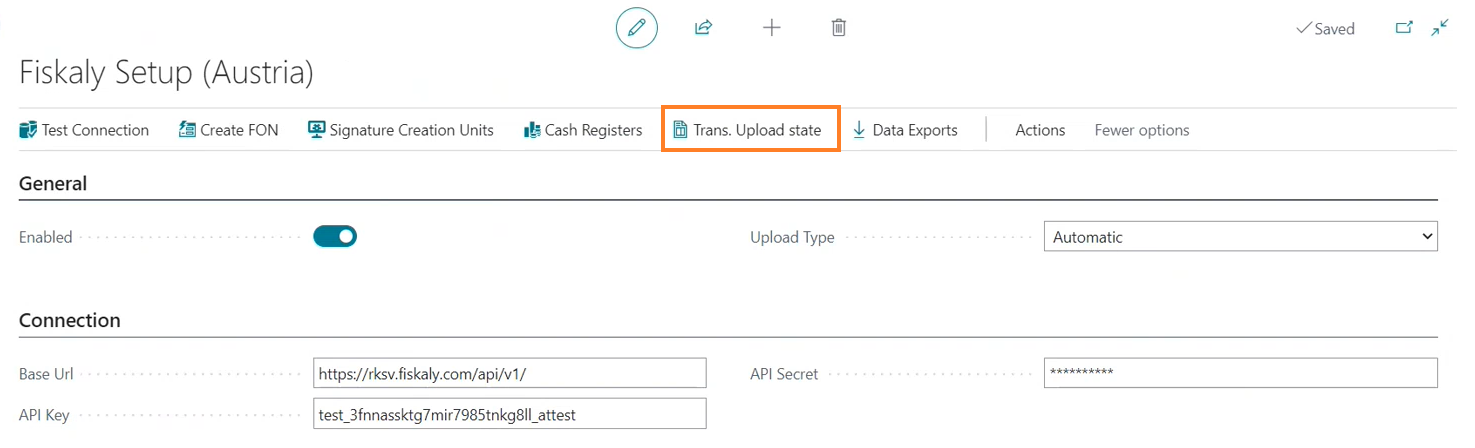
On the Fiskaly Setup (Austria) page, select Transaction Upload State.
-
In the Receipt Signing Status field, verify that each transaction has changed from Pending to Signed.
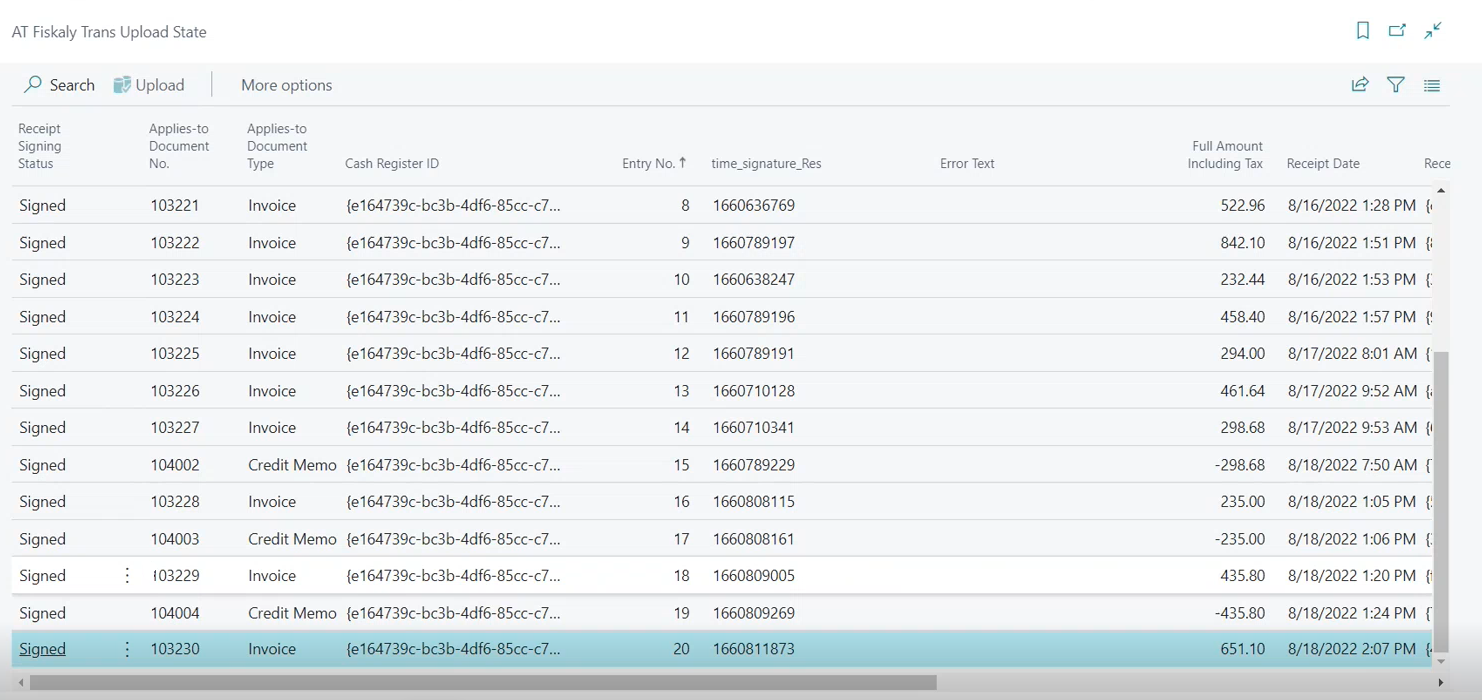
If a transaction did not upload, select Upload to retry.