VAT Rate Setup
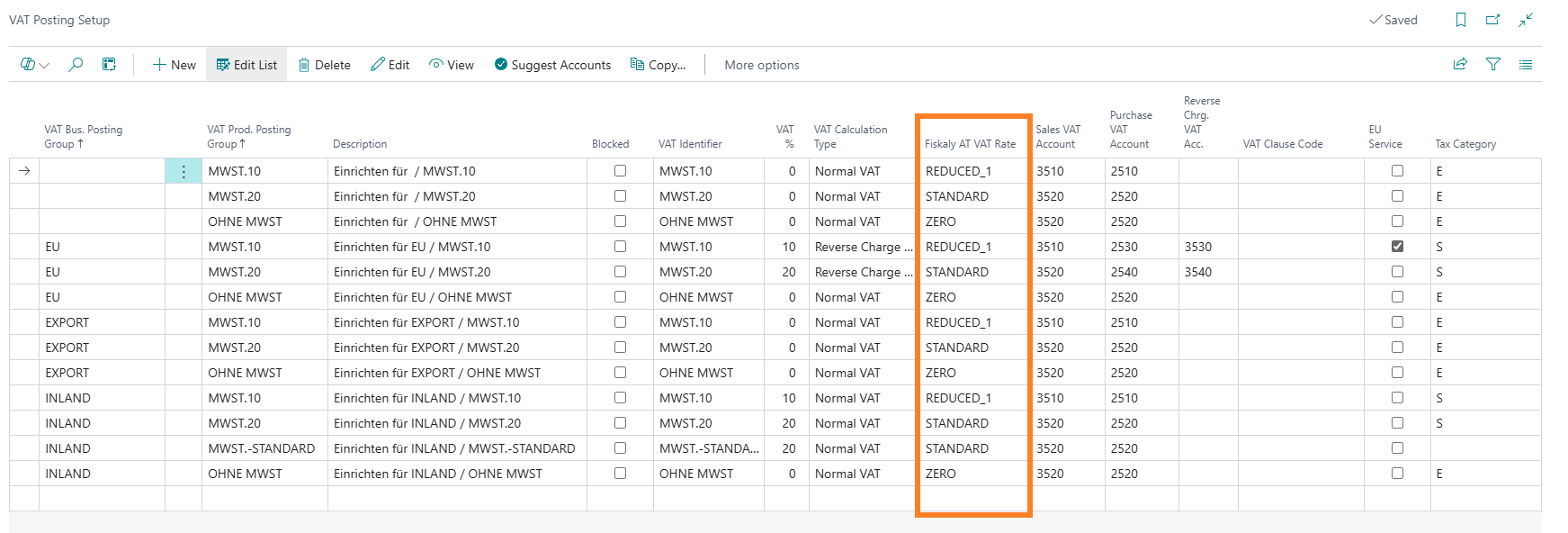
Each VAT posting group combination must be mapped to a Fiskaly AT VAT rate so that transactions are correctly classified for RKSV reporting.
-
Search for VAT Posting Setup and select the relevant link.
-
In the VAT Posting Setup page, locate the Fiskaly AT VAT Rate column.
-
Select the appropriate Fiskaly AT VAT Rate for each combination of VAT Bus. Posting Group and VAT Prod. Posting Group.
The rate name should correspond to the applicable Austrian VAT percentage: STANDARD (20%), REDUCED_1 (10%), REDUCED_2 (13%), SPECIAL, or ZERO (0%).