Export i-Seal Transactions
Use the Export action on the i-Seal Transaction List page to export transaction records to a CSV file.
-
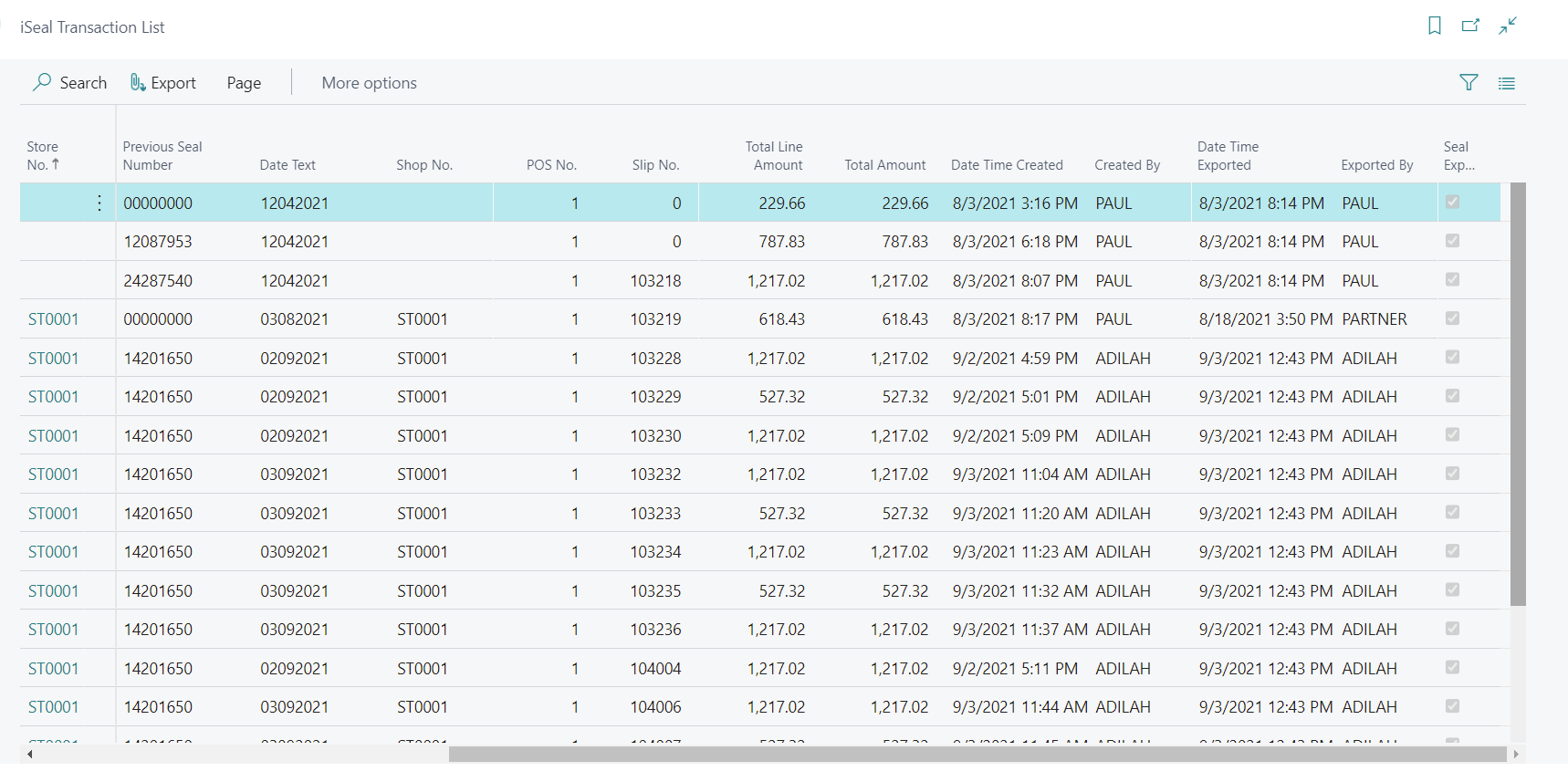
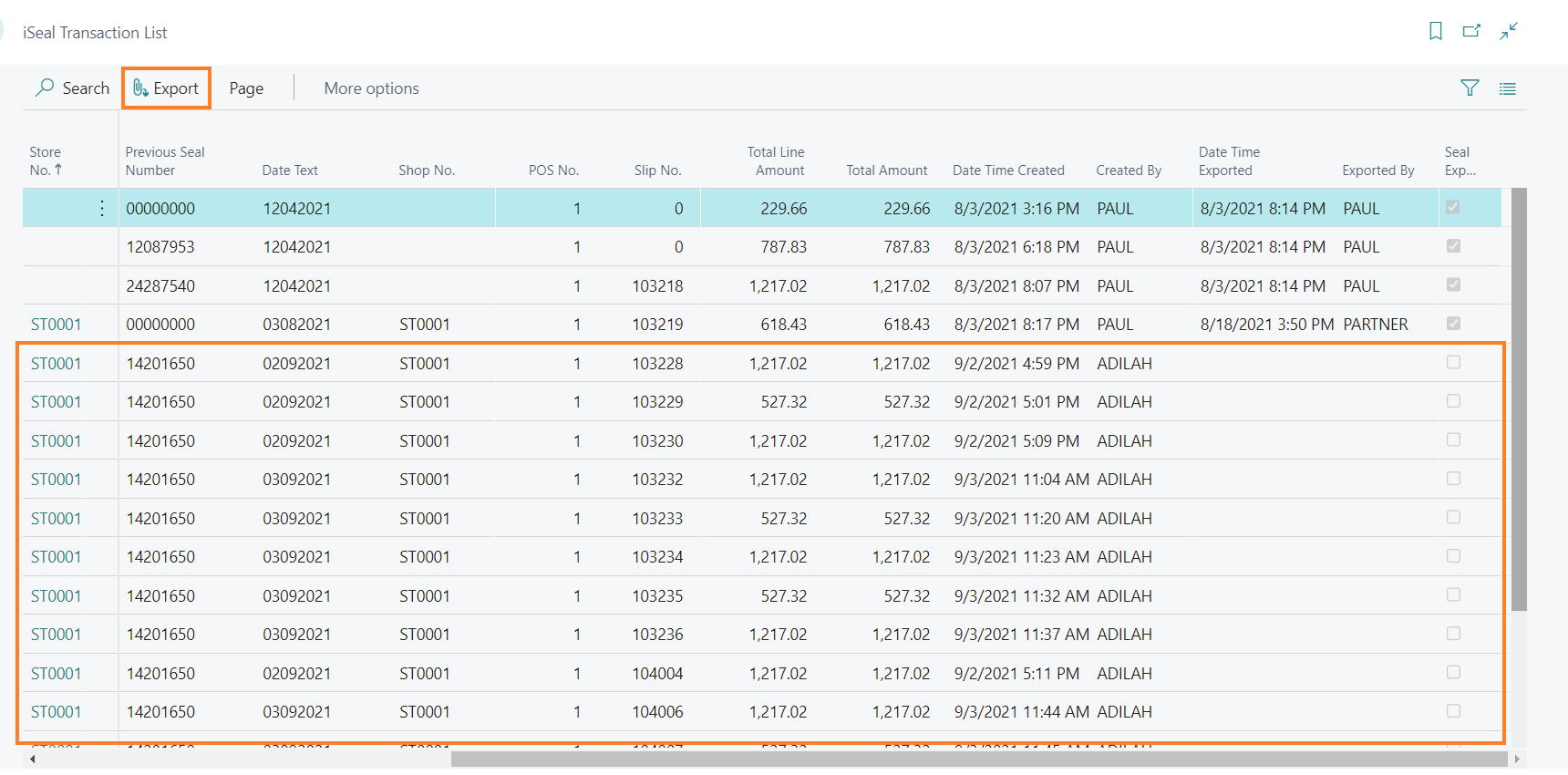
In the i-Seal Transaction List, select the rows for the transactions you want to export.
-
Select Export.
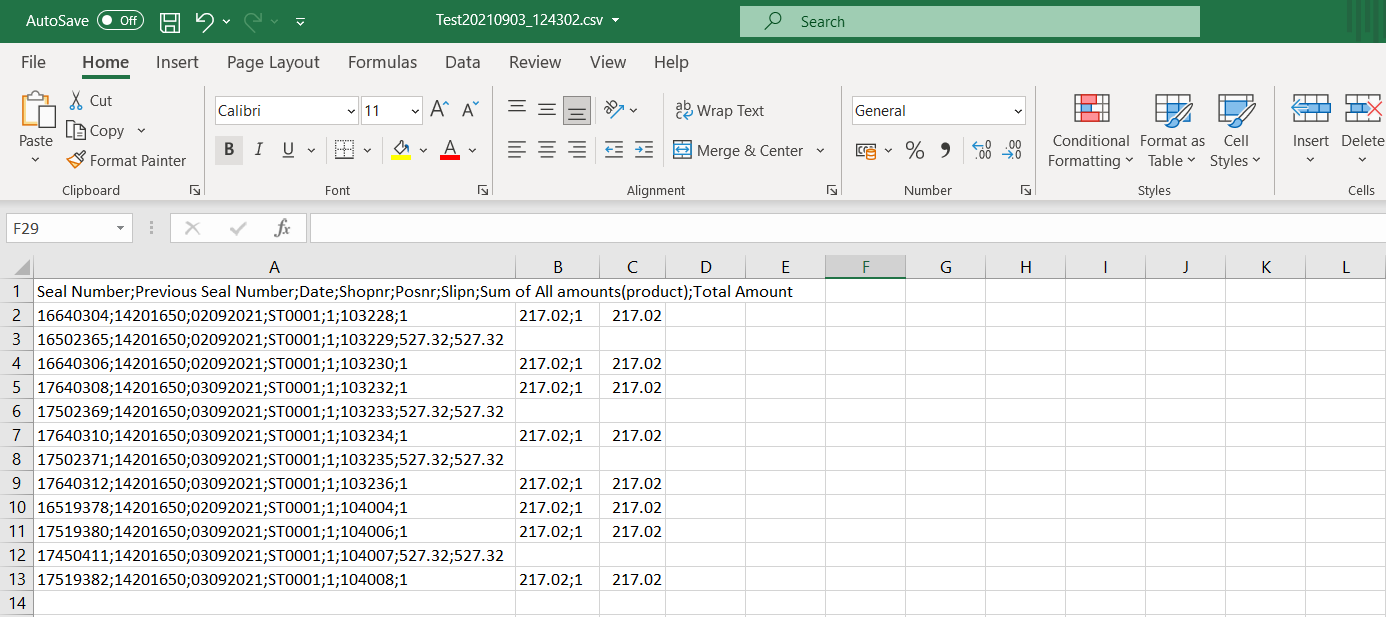
LS Express exports the transaction data to a CSV file with one column each for Seal Number, Previous Seal Number, Date, Shopnr, Posnr, Slipn, Sum of All amounts(product), and Total Amount. The exported date/time and exporter user are recorded back on the transaction record in LS Express, not written into the CSV file itself.