Cash Point Closings
After posting POS transactions, a Cash Point Closing record is generated. You can view these records using either of the following methods:
- On the Posted Close Out Summaries page, choose Navigate, then select Cash Point Closings.
- On the Fiscalization Setup page, choose the Cash Point Closings action.
To update records in a Pending state, select Refresh.
If an error occurs during the submission of a cash point closing, you can retry the submission for records in the Error state by selecting the Retry Submit action.
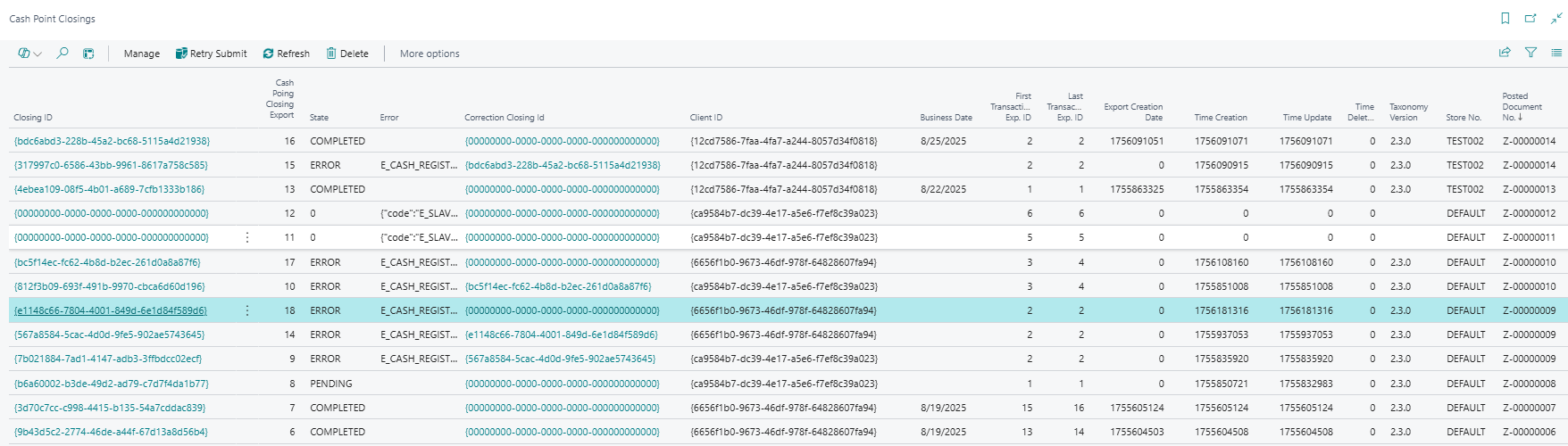
Note: Even if the State appears as Pending, the record may already be processed on the Fiskaly server. You must schedule a job queue to retrieve the latest status.
Note: If a day's closing contains only a payment to a customer account, with no other DSFinV-K-relevant transactions, the Cash Point Closing still resolves against the store's MASTER cash register, and the DSFinV-K export correctly reflects the VAT classification and buyer details for that settlement.
Note: A payment made using Pay to Customers Account with no invoice selected is also included in the Cash Point Closing and its DSFinV-K export. It gets its own Fiskaly transaction, reported under the Forderungsaufloesung business case, with the actual cashier and customer rather than placeholder values.
Note: Customer payments applied to posted Service Invoices and Service Credit Memos are included in the Cash Point Closing, and its DSFinV-K export, in the same way as payments against Sales Invoices and Sales Credit Memos—with the correct VAT classification and business case for the underlying service document.
Note: Comment lines on the underlying sales or service document—lines with no item, resource, or G/L account attached—are excluded when LS Express builds the Cash Point Closing data. This prevents an empty item reference from causing the Fiskaly submission to fail schema validation.
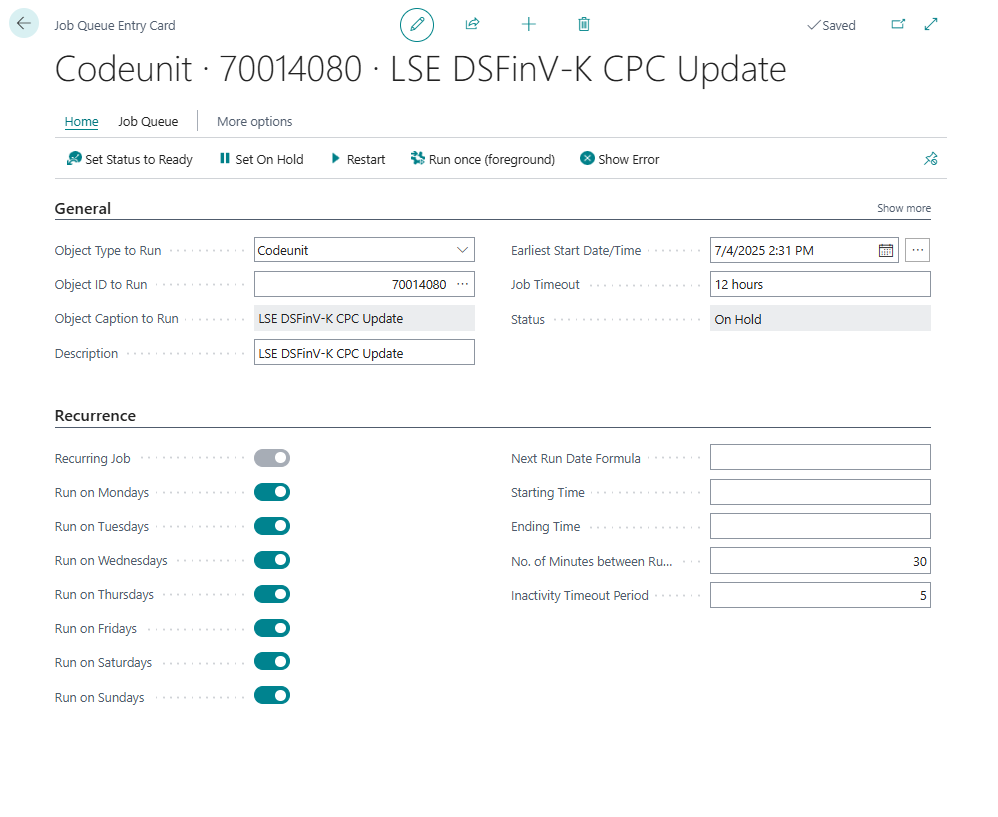
Set up a Job Queue to Update Cash Point Closings
A job queue is required to submit and synchronize the status of Cash Point Closings with the Fiskaly server.
-
Search for Job Queue Entries and select the relevant link.
-
Select New to create a new job queue entry.
-
In the General FastTab:
- Set Object Type to Run to Codeunit.
- Set Object ID to 70014080 (LSE DSFinV-K CPC Update).
-
In the Recurrence FastTab:
- Select the Recurring Job checkbox to make the job run periodically.
- Specify the days of the week the job should run.
- Optionally, define a time of day for execution and the number of minutes between runs.