Set Up Cash Registers
Before setting up a cash register, ensure that the following prerequisites are complete:
- A valid TSS ID exists.
- A Client ID has been generated.
To configure a cash register:
-
On the Fiscalization Setup page, choose Client.
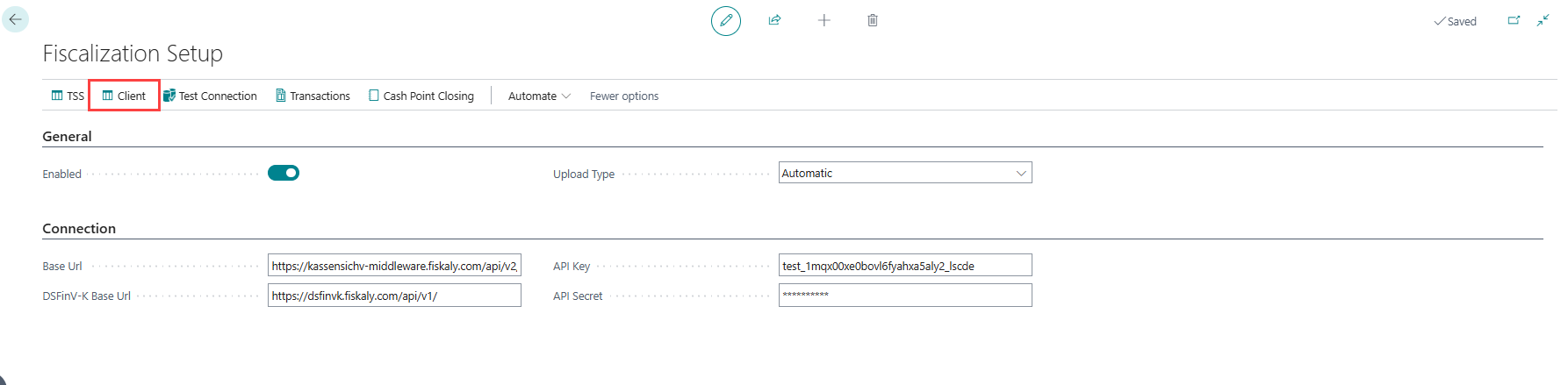
-
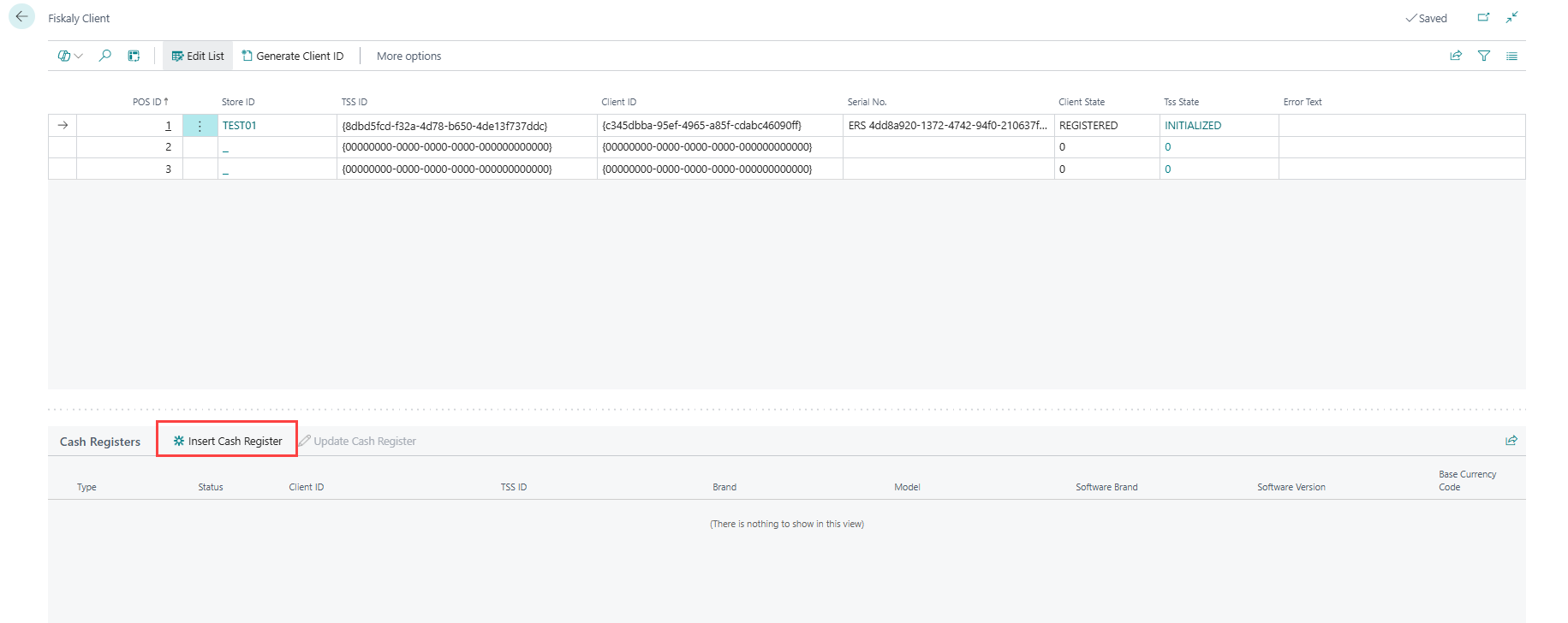
In the Cash Registers FastTab, choose Insert Cash Register to create the MASTER cash register for the store's first registration.
Note: For additional clients, the register type is set to SLAVE_WITH_TSS.
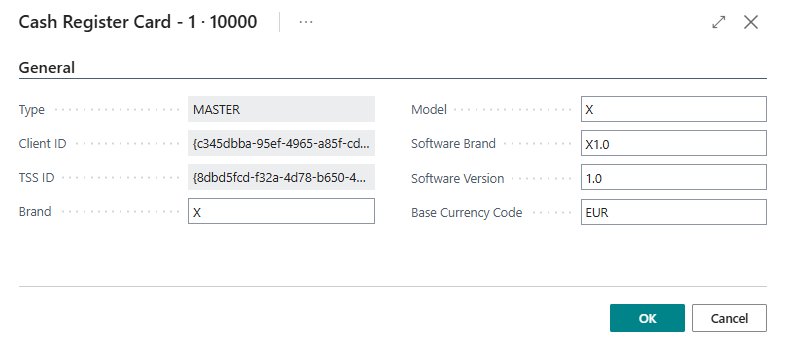
Field Description Type MASTER (first cash register) or SLAVE_WITH_TSS (subsequent ones). Status The current status of the register: Active, or Inactive once it has been archived. An Inactive register is retained for record-keeping and can no longer be updated or deleted. Master Client ID Only shown for a SLAVE_WITH_TSS register. Read-only Client ID of the store's MASTER cash register that this register is linked to. Client ID The Client ID for the store. TSS ID The TSS ID for the store. Brand Enter the brand name of the cash register. Model Enter the model name of the cash register. Software Brand Enter the brand name of the software. Software Version Enter the version number of the software. Base Currency Code Enter the base currency code used by the store. -
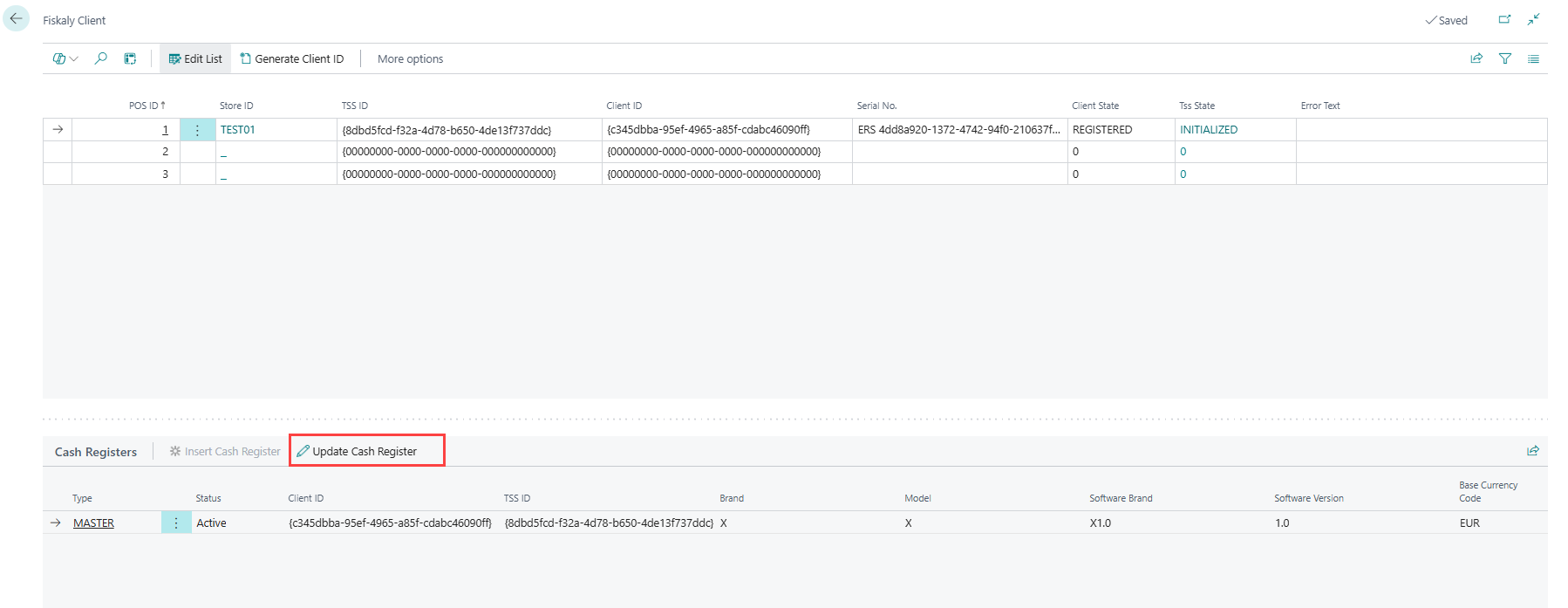
To update an existing register, choose Update Cash Register. This action is only available while the register's status is Active.
-
To remove a register that is no longer needed, choose Delete Cash Register. This action is only available while the register's status is Active, and asks for confirmation before deleting.
Note: A cash register cannot be deleted while it is still linked to the store's registered Fiskaly Client. De-register the client first - see Manage a Fiskaly Client.
Note: An Inactive (archived) register cannot be deleted; it is retained for record-keeping.