Fiskaly Setup
Use the Fiscalization Setup page to configure the Fiskaly integration for German fiscalization in LS Express.
Step 1: Assign Sales Profile
-
Go to Administration > Navigate > Subscription Setup.
-
Ensure a Sales Profile is assigned to the relevant POS devices.
Step 2: Open Fiscalization Setup
-
Go to Administration > Navigate > Fiscalization Setup.
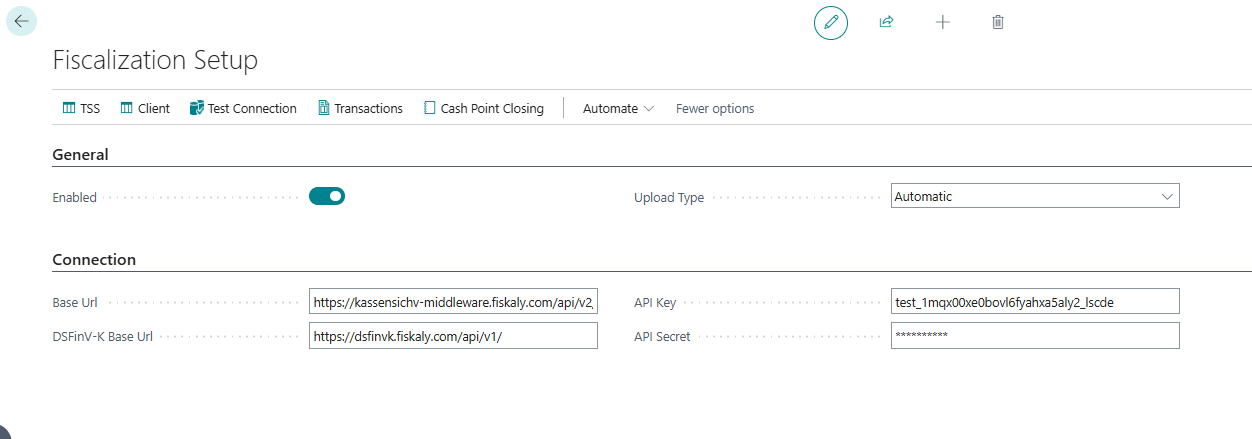
General FastTab
| Field | Description |
|---|---|
| Enabled | Enable this toggle to activate the German fiscalization module. |
| Upload Type | Select how transactions are submitted to Fiskaly: Automatic or Manual. |
| Debug Logging | Enable this toggle for detailed logs to help with troubleshooting fiskaly operations. When disabled, only error logs are recorded. |
Connection FastTab
| Field | Description |
|---|---|
| Base URL | For existing customers, the Sign DE base URL is prefilled. For new customers, enter: https://kassensichv-middleware.fiskaly.com/api/v2/ |
| DSFinV-K Base URL | For existing customers, the DSFinV-K base URL is prefilled. For new customers, enter: https://dsfinvk.fiskaly.com/api/v1/ |
| API Key | Paste the API Key from your Fiskaly dashboard. |
| Default Fiskaly API Secret | Paste the API Secret from your Fiskaly dashboard. This is the default used by stores that don't have their own store-level API Secret set (see Per-Store Fiskaly Override below). |
Test the Connection
To verify the connection to Fiskaly:
-
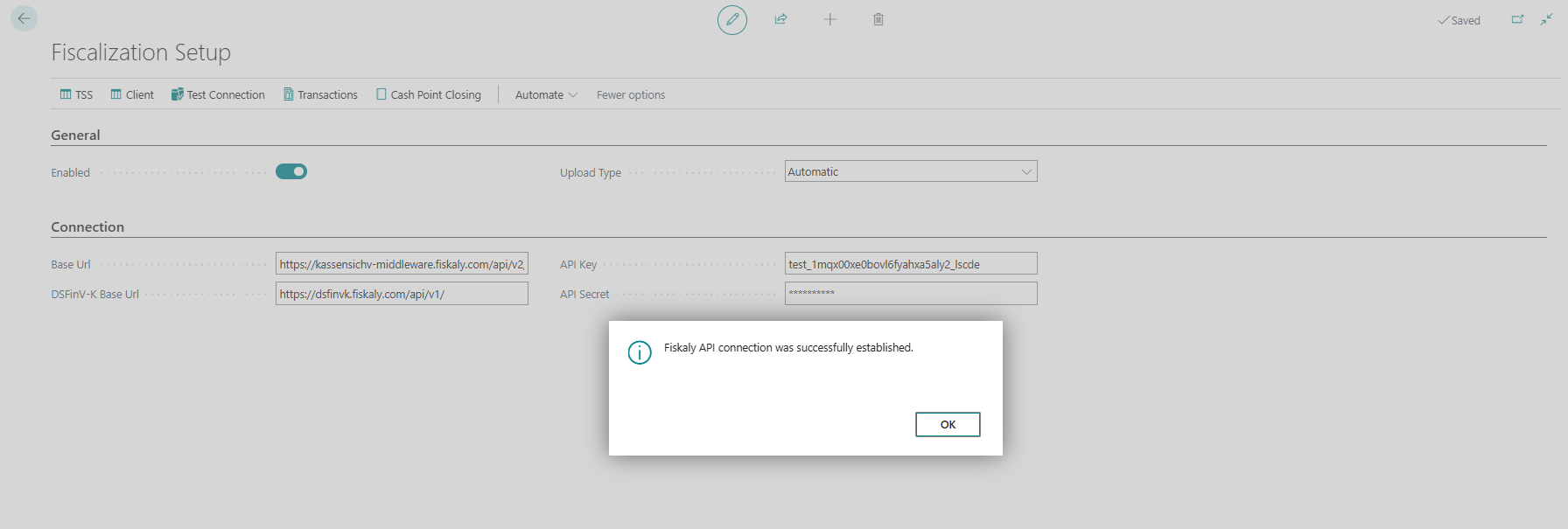
On the Fiscalization Setup page, choose Test Connection from the action menu.
-
If successful, a confirmation message will appear then select OK.
Per-Store Fiskaly Override
By default, all stores use the API Key and API Secret entered on this page. To let an individual store authenticate with its own Fiskaly organization instead, open the Store Card for that store and fill in the Fiskaly Setup section:
-
Go to Administration > Navigate > Stores and open the store's Store Card.
-
In the Fiskaly Setup FastTab, enter the Fiskaly API Key and Fiskaly API Secret for the store.

-
Select Test Fiskaly Connection to verify the store-level credentials.
When both fields are set, the store-level credentials are used for that store instead of the credentials on this Fiscalization Setup page. Stores that don't have a Fiskaly API Key and Fiskaly API Secret set continue to use the company-level setup described above unchanged.