VAT Definitions
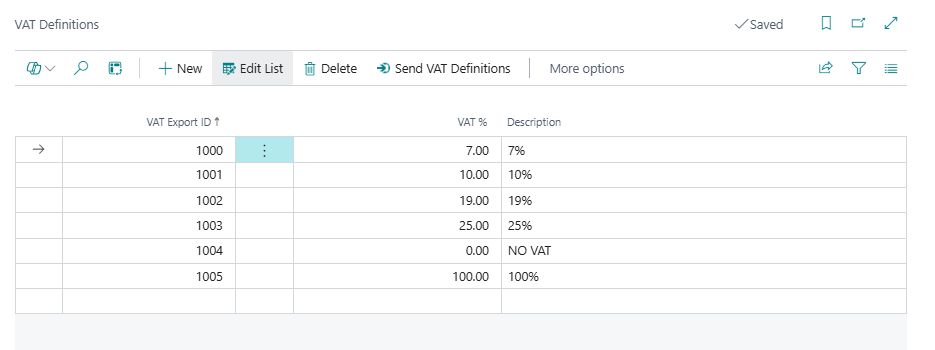
VAT definitions map VAT rates to Fiskaly reporting identifiers. You can update existing definitions or add new ones.
-
Search for VAT Definitions and select the relevant link.
-
Select Edit List to modify existing VAT rates, or select New to create a new definition.
-
Enter or update the following fields:
- VAT Export ID – Enter a unique identifier above 1000 (1001 or higher). Only these IDs can be added or modified manually; 1000 itself is reserved and is skipped by Send VAT Definitions, so a VAT definition using it is never sent to Fiskaly.
- VAT % – Enter the applicable VAT percentage.
- Description – Enter a clear description for the VAT rate.
-
Select Send VAT Definitions to transmit the updated VAT configuration to Fiskaly.
To set up the DSFinV-K Export ID required for DSFinV-K reporting, see VAT Posting Setup.
For how LS Express chooses which of these export IDs is reported for a given transaction line, see VAT Business Cases and the DSFinV-K Export ID.