Digital Signatures
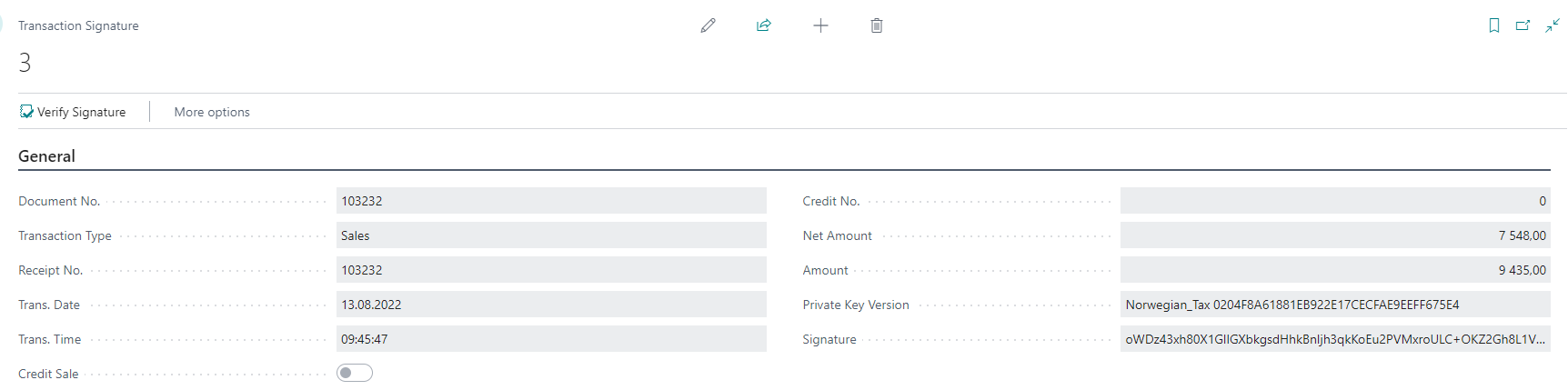
Based on the new transaction table (Transaction Signature) holding data needed for signature and the signature itself. The signature is generated as part of LS Express's own POS posting process, right after the sales invoice or credit memo is posted.
The signature is based on asymmetric cryptography using Cryptography Management (codeunit) from the System Application. To generate the digital signature, the codeunit uses the function “SignData”.
The certificate is a solution registered certificate, that is unique for a given LS Retail version and registered with the Norwegian tax authorities. Every customer using that LS Retail version should use the same certificate.
View the Transaction Signature Entry and Verify Signature
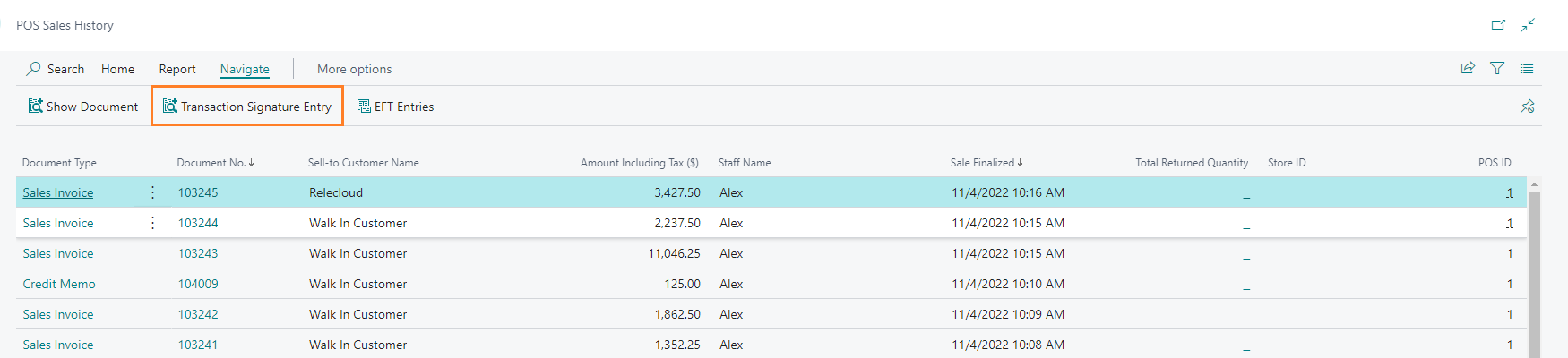
Once the certificate is uploaded, the generated signature is added to the POS sales. You can view the digital signature from the POS Sales history.
-
Search for POS Sales History and select the relevant link.
-
Use the Transaction Signature Entry action to view the signature details.
-
Within the Transaction Signature Entry, the signature can be verified.