Change Quantity
How to: Change the Quantity of an Item
-
Locate the item in the sales line that you want to modify the quantity for. You can do this by clicking on the quantity number of the item in the sales line.
-
Once the quantity is selected, a prompt will appear, asking you to enter the new quantity you want to apply to the item.
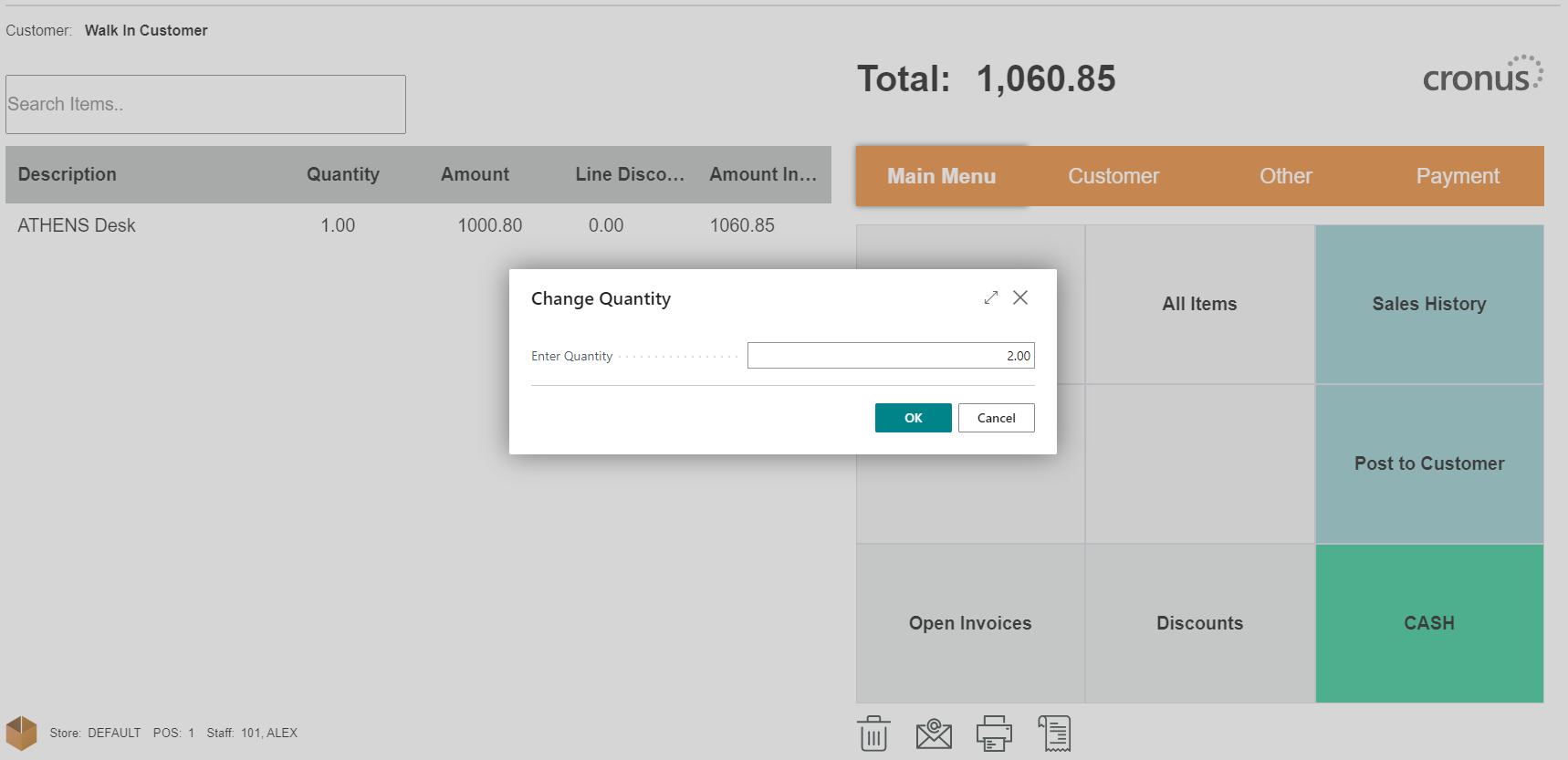
-
Alternatively, you can click on the item line directly in POS and the Sales Line will open. In the Quantity field, directly enter the new quantity you wish to apply to the item.
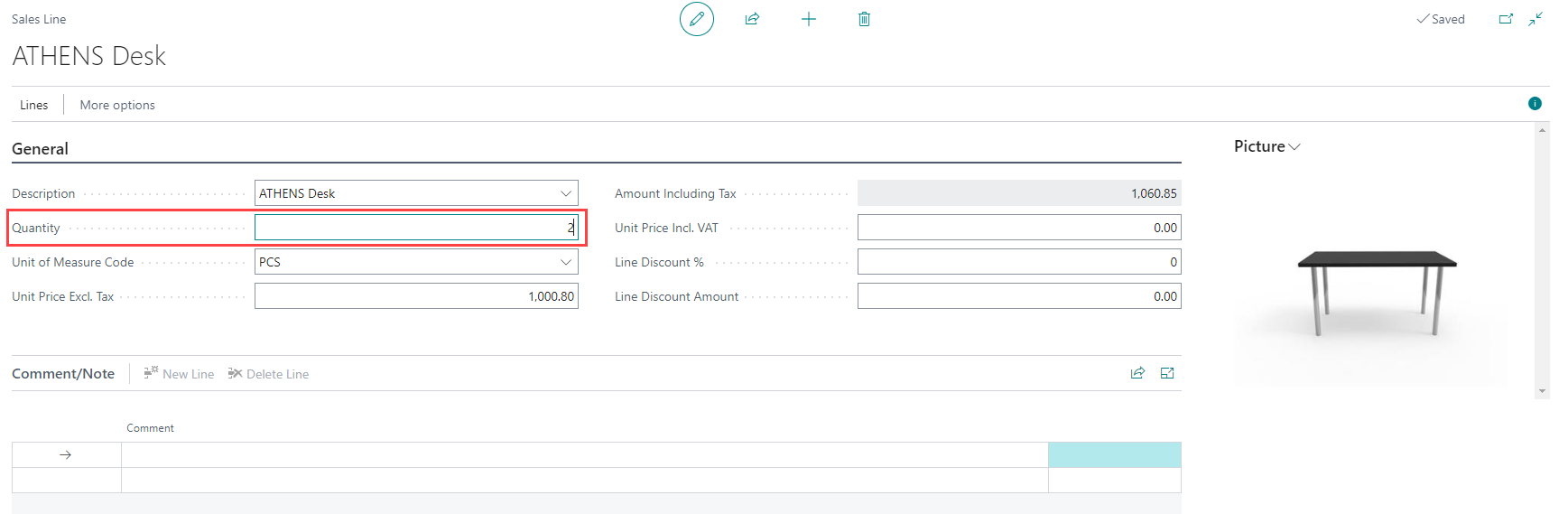
-
After entering the new quantity, the Amount including Tax field will automatically update based on the new quantity and the item price.
-
If you prefer to add the same item multiple times with the desired quantity, you can do so as well. The system will automatically calculate the total quantity and amount for that item.