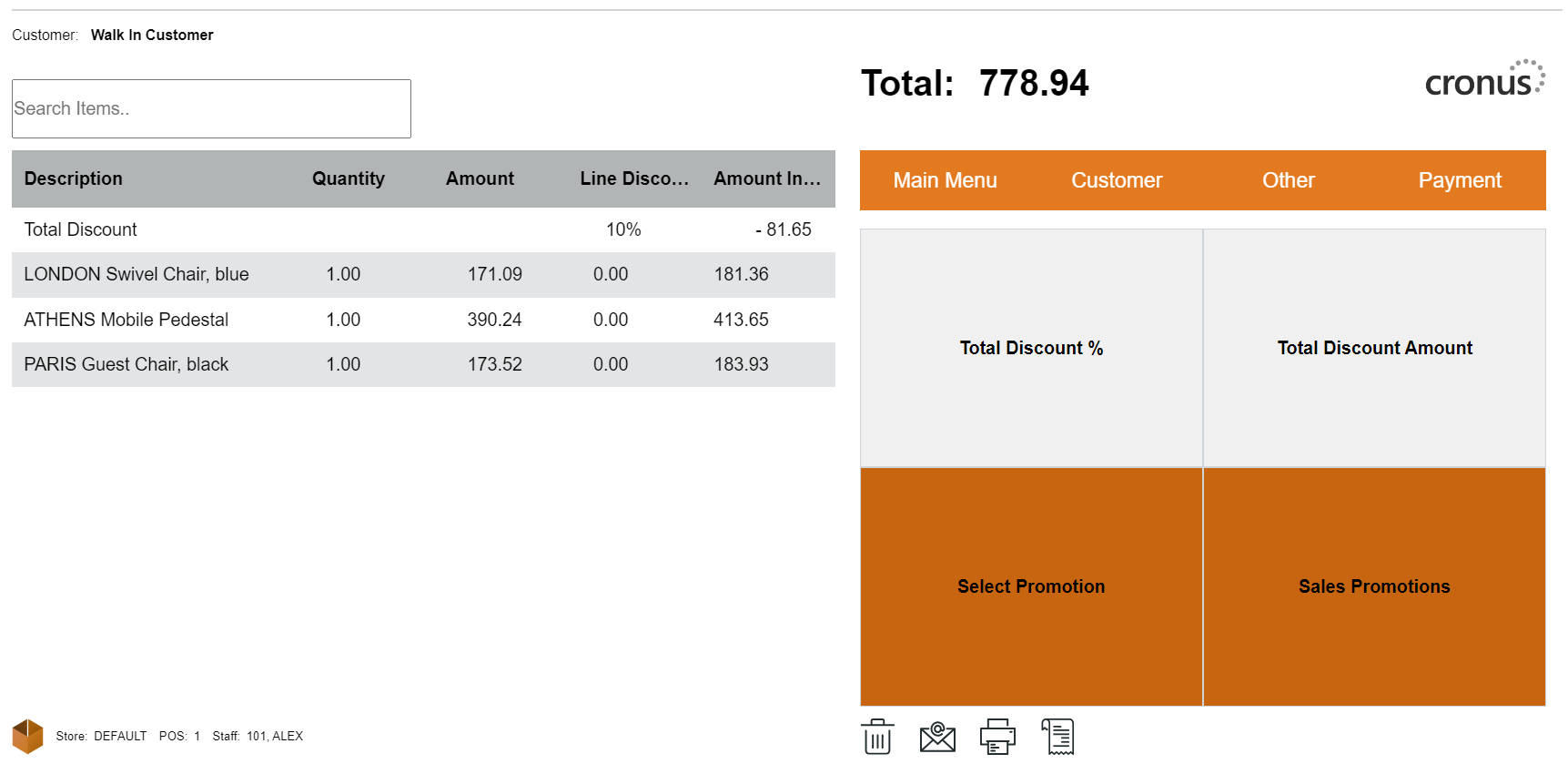
Total Discount % and Total Discount Amount
A Total Discount is a discount applied to all the items in the sale.
How to: Apply a Total Discount
-
To apply a total discount to an item, select the Discounts action from the Main Menu.
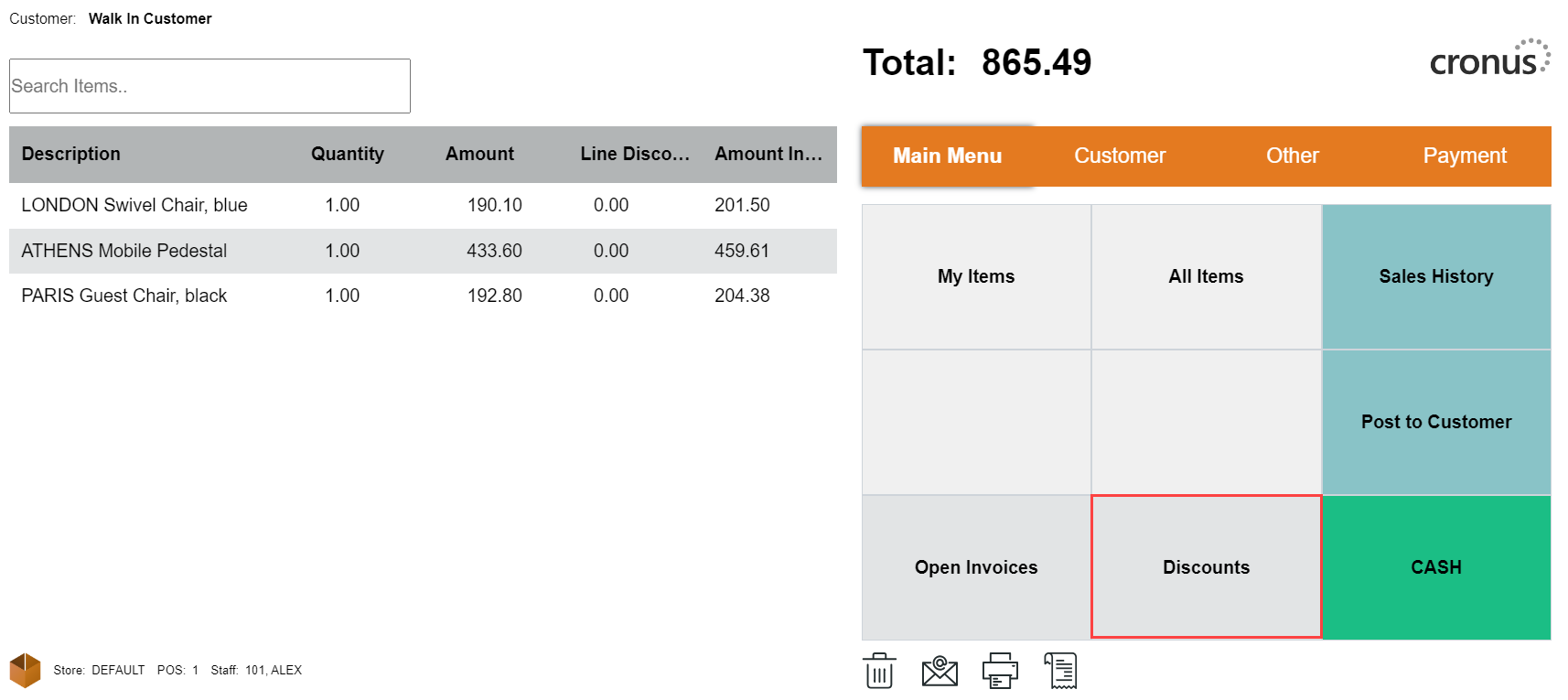
-
Click the Total Discount % or Total Discount Amount.
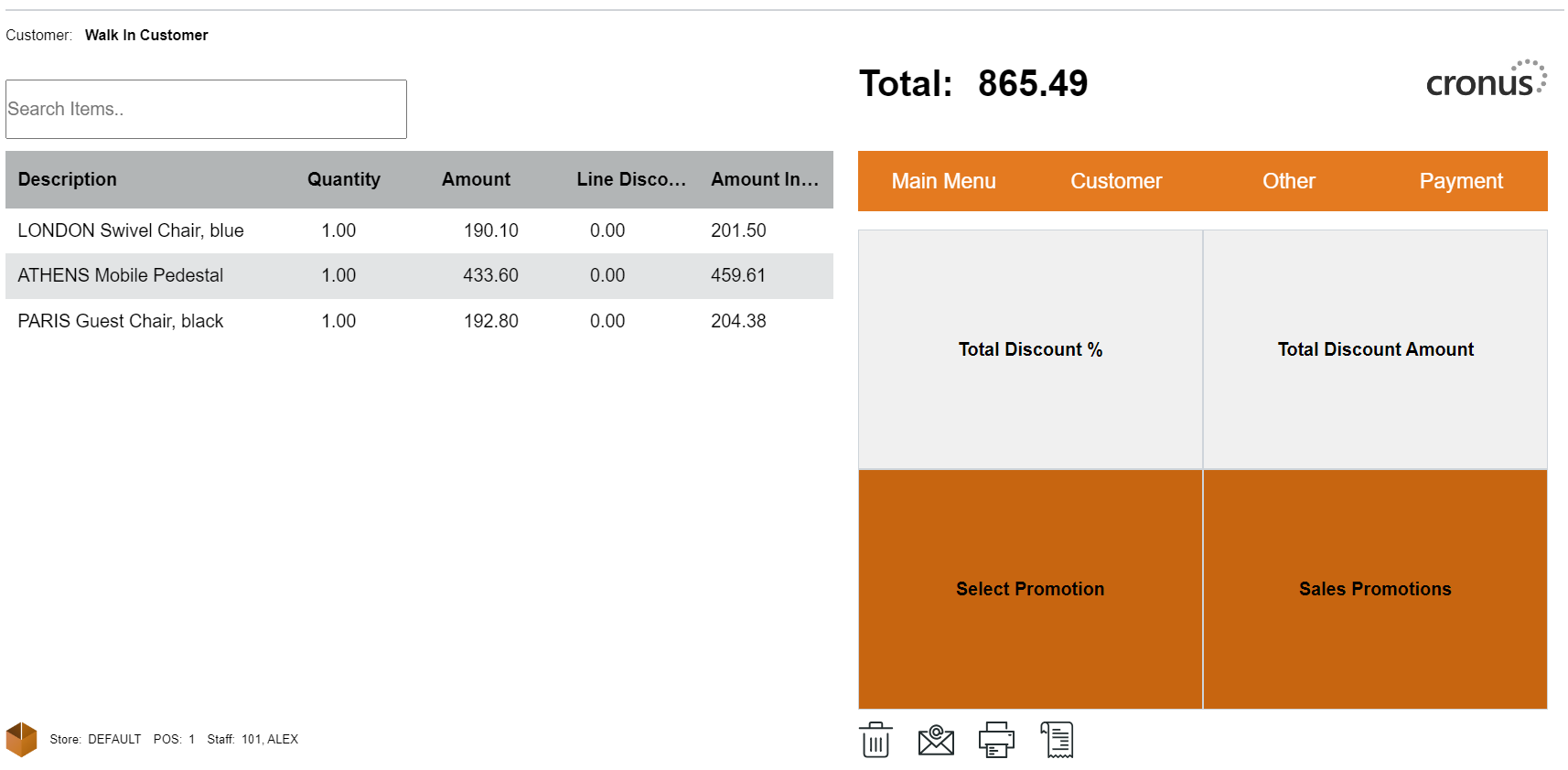
-
Enter the total discount %.
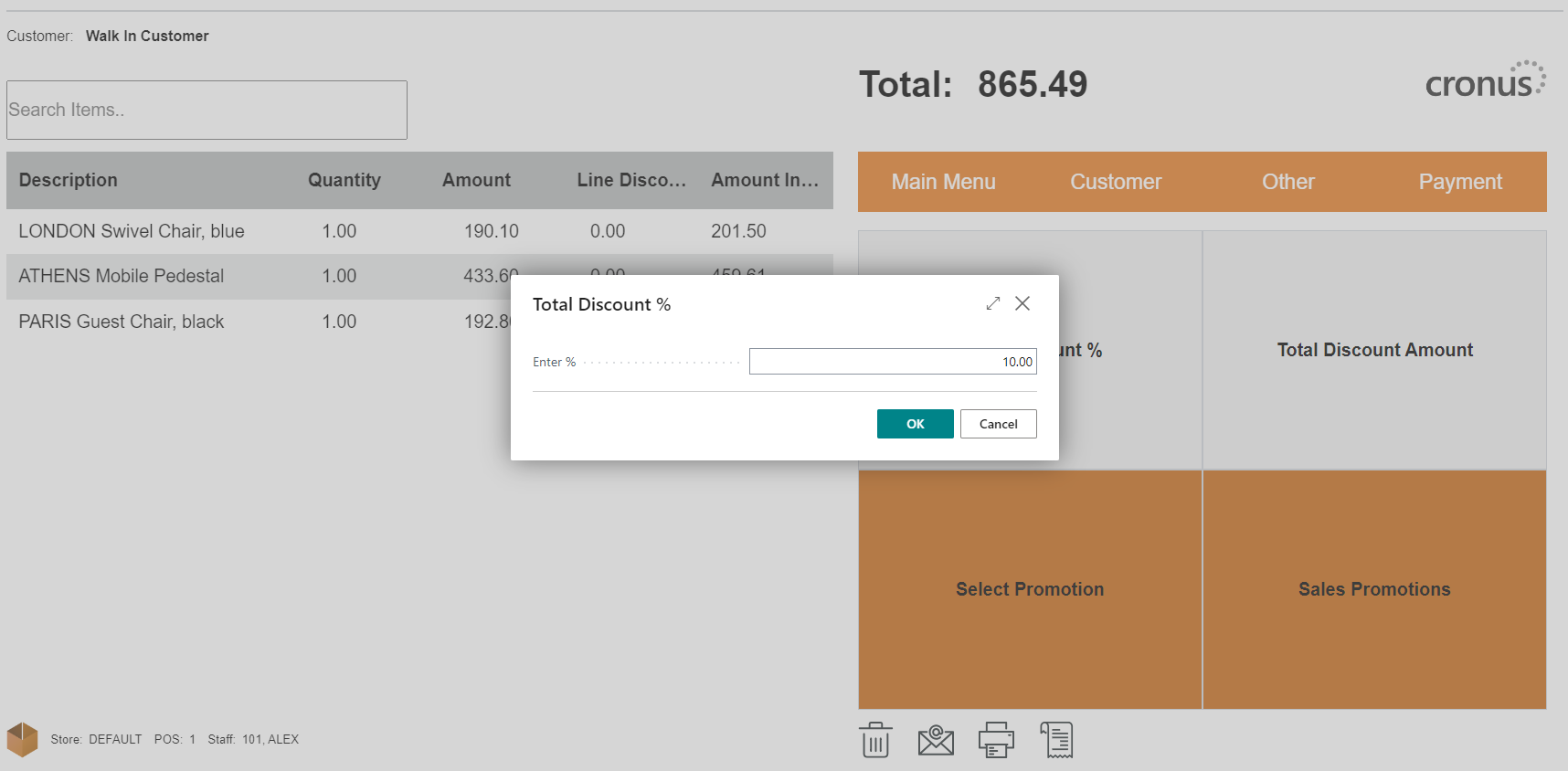
-
Use the same method for the total discount amount.
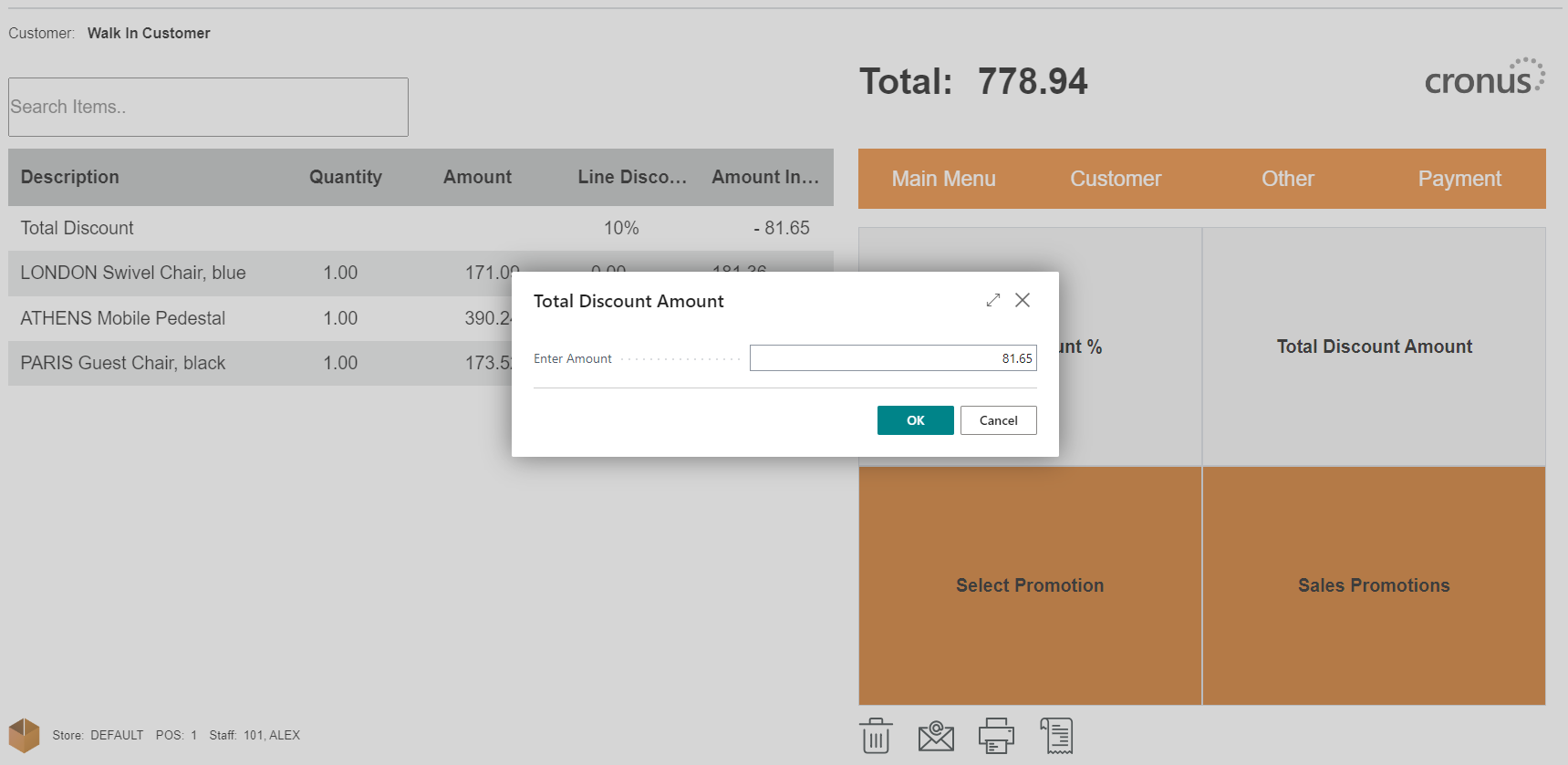
-
The discount is applied, and the price is updated.
How to: Edit a Discount
To edit a total discount, use the same method as before and enter a new total discount value.
How to: Remove a Discount
To remove a total discount, use the same method as before but set the value to zero.