Shopify Order
How to: Pull Shopify Orders into LS Express
-
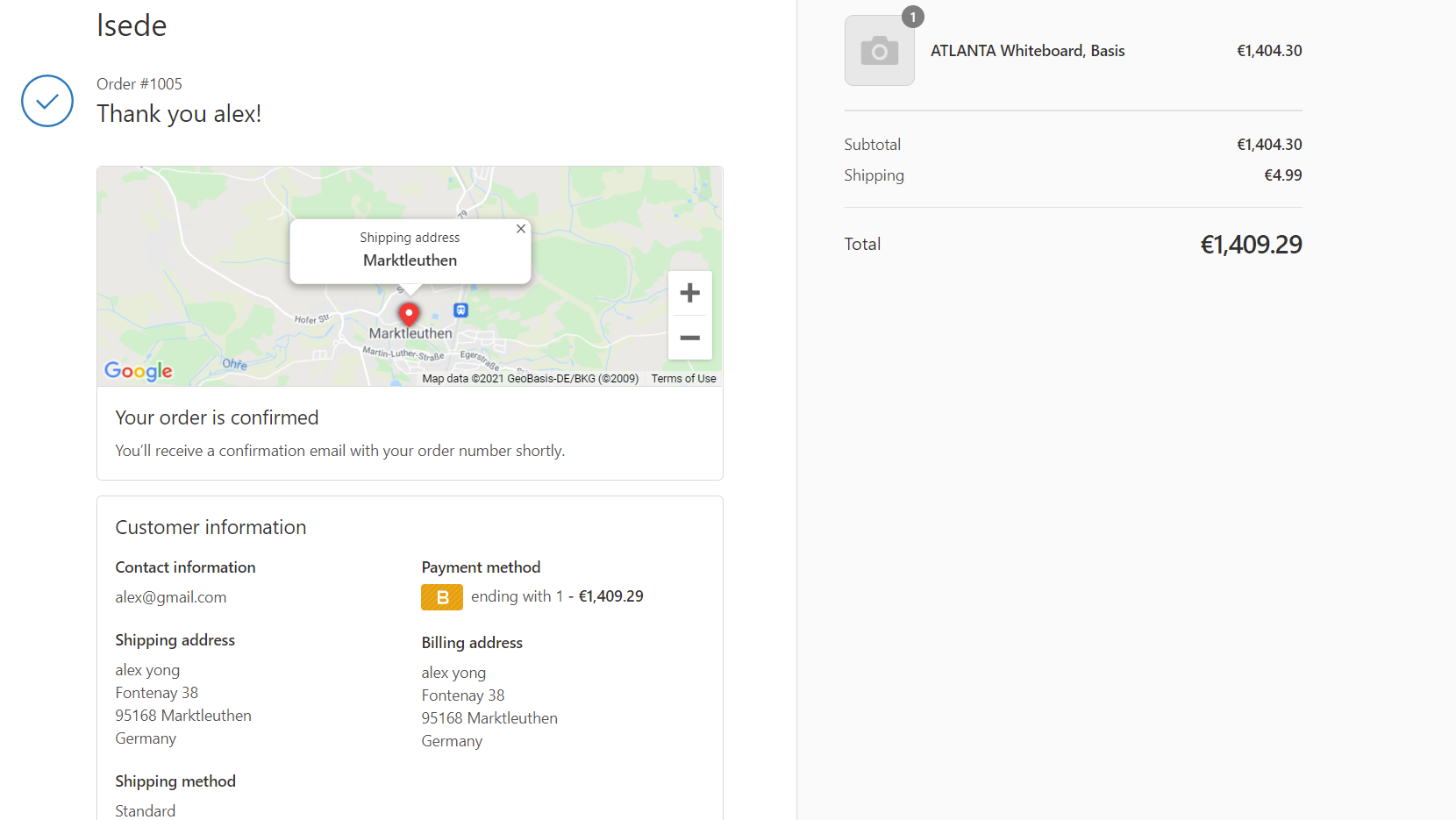
Below is the example when the customer has confirmed the order from Shopify online store. Here, the order code is #1005.
-
Once orders have been placed in your Shopify store, go to Administration > Navigate > Shopify Order.

-
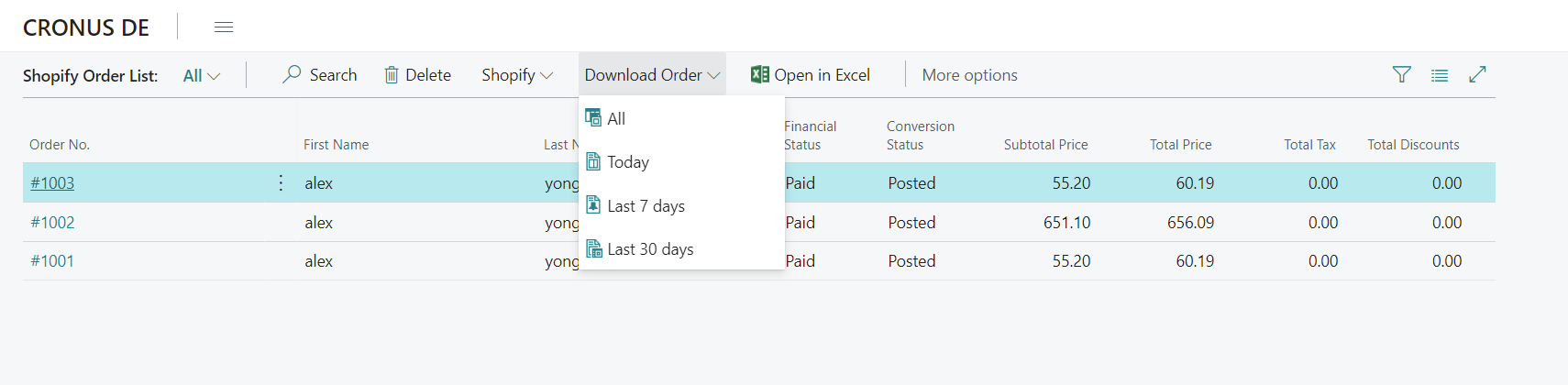
Select Download Order > You can choose to download All orders, Today's orders, Last 7 days, or Last 30 days. This will download the orders with the status Completed from Shopify.
-
Newly downloaded Shopify orders will have the Conversion Status change to Open.
How to: Convert Shopify Orders to LS Express Sales Invoices
-
To convert a Shopify order to a sales invoice, click on the order you wish to convert.
-
Select Shopify > Convert Order.

-
The Conversation Status should change to Converted.
How to: Post a Shopify Invoice
-
To post the sales invoice, you can select Complete Order and complete the invoice here.

-
The Conversation Status should change to Posted.
Note: It is also possible to pull open Shopify invoices into the POS to receive payment in the store. To do that, go to the POS and select Home > Open invoices.